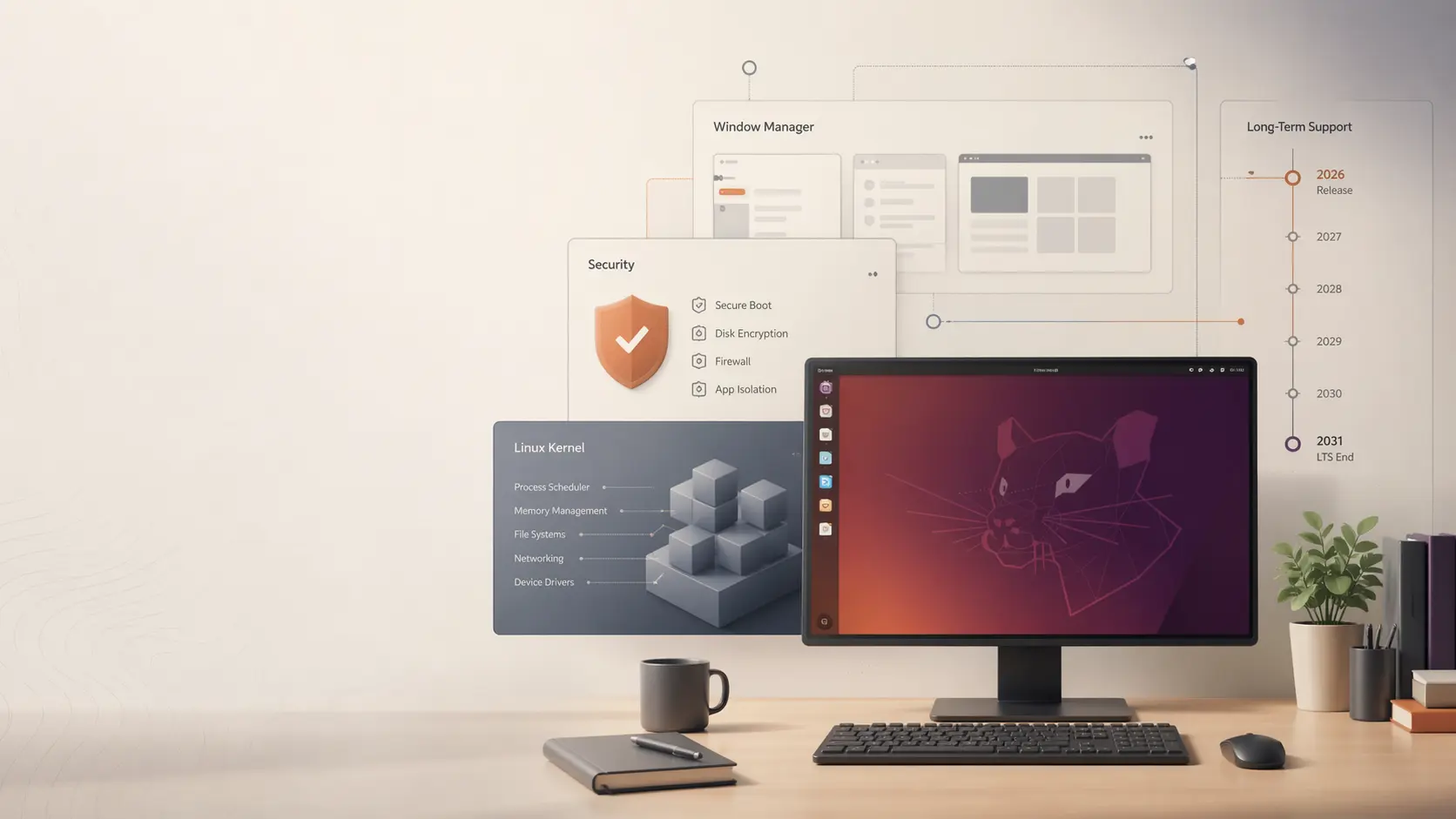
Ubuntu 26.04 LTS is out. A quiet release that will now become the main baseline
A detailed breakdown of Ubuntu 26.04 LTS: what actually changed in Resolute Raccoon, why this is not a revolutionary update, which desktop, security, hardware, and developer-stack changes matter, whether it makes sense to upgrade now, and why this LTS will likely become the practical default for years.
Ubuntu 26.04 LTS is officially out, available to download and install, and Canonical lists standard support for the main release until May 2031. This is not a release built around dramatic visible changes. Its real weight is in long support, calmer desktop polish, stronger security work, and a more modern baseline for people who want a stable system for the next several years. [1][2][3]
Start here
In short, Ubuntu 26.04 LTS is not trying to win attention through noise. It is a different kind of release. It says: here is a system you can standardize on, support, and stop poking every few months. That is why it makes more sense to judge it by the strength of the base than by the number of flashy headlines.
What Ubuntu 26.04 LTS really means in 2026
First, this is the new long-term base release of Ubuntu. In Canonical's cycle, LTS versions become the thing workstations, corporate laptops, servers, cloud images, and internal platform standards sit on. Interim releases bring speed and newer packages. LTS brings predictability. [3]
Ubuntu 26.04 arrives two years after Ubuntu 24.04 LTS. In practical terms, this is the point where the ecosystem resets its baseline again. If 24.04 became the base for 2024-2026, then 26.04 now takes that role until the next LTS cycle closes with Ubuntu 28.04. [3]
The official Canonical framing matters too. The company is not selling this release as a bucket of shiny desktop novelties. It is selling it as a platform for accessibility, productivity, enterprise security, modern hardware optimization, AI and ML workloads, and long support. [1] That alone tells you how it should be read.
What actually changed compared with the previous LTS
On the surface, Ubuntu 26.04 does not look like a dramatic release. But once you break it down by layers, it becomes clear that Canonical quietly refreshed almost every important support point in the system.
A quick map of the release: less noise, but a stronger base in GNOME, Wayland, the kernel, and the long support window.
Section what-actually-changed screenshotGNOME 50 and a more mature desktop
The official desktop download page explicitly highlights GNOME 50, improved fractional scaling, new default apps, and broader accessibility improvements. This is not a revolution, but it is exactly the kind of change you feel in daily work. [4]
Wayland no longer as a side option
In the release announcement, Canonical says Ubuntu 26.04 fully commits to Wayland and finishes the wider move away from X.org. For Ubuntu, that is a symbolic threshold: Wayland is no longer the experiment on the shelf, but the main path forward. [1]
Linux 7.0 and newer hardware support
App Center and a calmer software-management story
Canonical also highlights a more unified App Center experience with better support for Debian packages. It is not the kind of change that drives headlines, but it directly touches one of the long-running friction points of Ubuntu on the desktop. [1]
The real weight of this release sits in security and system defaults
If Ubuntu 26.04 can look visually calm, its security and systems story is almost the opposite. In that sense, this is one of Canonical's more ambitious LTS releases in recent years.
| Comparison point | What Canonical emphasizes | Why it matters in practice |
|---|---|---|
| TPM-backed full disk encryption | Canonical says TPM-backed full-disk encryption in 26.04 moves into a broadly available and enterprise-ready state. [2] | That means less of the “interesting but still early” label and a better chance that teams will actually use it in real rollouts, not just in lab tests. |
| Rust in sensitive system components | In 26.04, rust-coreutils becomes the default set of base system utilities, and sudo-rs becomes the default sudo implementation, while classic GNU coreutils and sudo remain as a fallback. [2] | This is one of the clearest ideas in the release: do not break compatibility abruptly, but keep reducing risk in sensitive system areas through safer implementations. |
| Modern cryptographic defaults | Canonical explicitly points to OpenSSH 10.2, hybrid post-quantum key exchange by default, and continued movement away from older cryptography. [2] | Most users will never feel this in the interface, but this is exactly how LTS releases set new technical norms for years ahead. |
| Confidential computing and a firmer platform layer | Ubuntu 26.04 adds integrated support for AMD SEV-SNP and Intel TDX, plus a refreshed container stack and stricter kernel and container defaults. [1][2] | That is another signal that Canonical sees 26.04 not just as a desktop release, but as a platform for infrastructure, AI workloads, and enterprise environments. |
This is where the release gets heavier than it first looks: encryption, cryptography, container hardening, and the long support horizon.
Section security-story screenshotWhat is not here, and why that matters too
It would be dishonest to describe Ubuntu 26.04 as if it came with ten dramatic desktop reinventions. It does not. If you were waiting for a full redesign, a brand-new packaging world, a radical UX shift, or a parade of eye-catching features for ordinary home use, then the wow factor here will be limited. [1][4][6]
And honestly, that is not a flaw by itself. In an LTS release, the absence of noise is often a sign of a mature strategy. Canonical did not try to turn 26.04 into a fashion show. Instead, it strengthened the foundation: security, cryptography, hardware support, desktop polish, the App Center, modern toolchains, and the platform's suitability for AI and enterprise use cases. [1][2][7]
So the right question for Ubuntu 26.04 is not “why are there so few loud new features?” but “are there enough long-term improvements here to make this the main release for the next several years?” And that is where the answer becomes much more interesting.
Should you upgrade right now
There is no single right answer for everyone here. The decision depends on where you are starting from and what matters more to you: stability, newer hardware support, or minimizing risk right after release day.
Upgrade now: new hardware
Upgrade now: fresh install
For new machines and new work environments, the logic is strong: taking the new LTS immediately is often simpler than starting on an interim release or on an older base.
Upgrade now: long-term baseline
Wait a bit: critical work machine
After a major LTS release, it still makes sense to give it some time for early fixes if your laptop or workstation cannot tolerate even small instability.
Wait a bit: stable 24.04 setup
In that case, there is no reason to rush. 24.04 remains a strong LTS, and you can move when the 26.04 advantages become practical for you rather than theoretical. [3]
Wait a bit: calmer upgrade path
For part of the LTS crowd, waiting for the first point release and a calmer upgrade window is still the natural move. That is how conservative Ubuntu cycles usually work. [8]
The right way to read this release is not through first-day emotion, but through your workload, your risk tolerance, and your time horizon.
Section should-you-upgrade screenshotSummary
Put simply, Ubuntu 26.04 already looks like the right new base release. But the word “base” also hints at the right tempo: if you already have a stable LTS under your feet, day-one urgency is optional.
What people outside Canonical are saying about Ubuntu 26.04
To avoid reading the release only through the official press voice, it helps to look at a few outside reactions too. The shared mood is clear: people respect the release, but they do not treat it like a fireworks show.
What to expect after the 26.04 release
For Ubuntu, the period after release is usually almost as important as release day itself. And with an LTS release, that becomes even more visible.
Early point releases will make the picture calmer
For many organizations and conservative users, the first point release still matters psychologically. That is often the moment when Ubuntu LTS starts feeling fully settled as a base. [8]
The ideas in this release will keep pushing toward stricter security defaults
Rust in sensitive components, stronger crypto defaults, TPM-backed security, confidential computing, and more explicit permission handling do not look like a one-off gesture. They look like a multi-year direction. [2]
Summary
Ubuntu 26.04 may not be remembered as the most dramatic release. But it may end up being remembered as the calm LTS that a large part of the ecosystem simply stood on for years.
What else to read on systems, infrastructure, and tools
Conclusion
Ubuntu 26.04 LTS does not look like a release trying to impress you in the first five minutes after installation. This is not the kind of release built around a flashy list of dramatic features. But for an LTS, that is more of a strength than a weakness.
Canonical assembled a calm, long-lived, and fairly serious foundation: GNOME 50, Linux 7.0, a more mature Wayland baseline, a more practical App Center, TPM-backed disk encryption, modern cryptographic defaults, Rust in sensitive system areas, and a stronger platform for AI and enterprise workloads. [1][2][4]
That is why the main impression of Ubuntu 26.04 is this: not a wow-effect release, but a long-distance release. And that may turn out to be its strongest advantage.
FAQ
Yes. The release is officially available to download and install already. But the practical decision depends on your scenario. For a fresh install or new hardware, the move already looks reasonable. For a critical work machine sitting happily on Ubuntu 24.04 LTS, some users will still prefer to wait a little. [1][3][4]
If you only look at the interface and attention-grabbing features, then no, the change is not radical. But in security, defaults, hardware support, modern cryptography, and the platform base, the release is heavier than it first appears. [1][2][4]
Yes. Canonical describes LTS as a five-year standard support release, and the Ubuntu release-cycle page shows standard security maintenance for 26.04 through May 2031. [3][4]
Because these are exactly the releases that often become the real backbone of the ecosystem. Their value is not in spectacle, but in the fact that teams, servers, workstations, and developers sit on them for years. Ubuntu 26.04 looks very much like that kind of release.
Sources
Related Articles

How to Add Mau Saver to a Telegram Group and Save Media in Chat
A practical guide to adding Mau Saver to a Telegram group and downloading videos, audio, and posts directly in the chat.

How to Advertise to an International Telegram Media Audience
A practical guide for advertisers: reach an international Telegram audience through Mau Saver Bot, group placements, pinned posts, and native media integrations.

AI Assistant Development Cost in 2026: RAG Chatbots, CRM Integrations, Guardrails, and Support
A practical buyer guide to AI assistant development cost in 2026: prototypes, RAG chatbots, knowledge-base assistants, CRM and website integrations, guardrails, evaluations, monitoring, and support.

AI Can Make More. Not Better: What Game Development Research Actually Says
Generative AI is entering game production, but the evidence is more nuanced than the hype. We examine developer adoption, player reception, quality risks, and a practical production model for using AI without outsourcing taste.