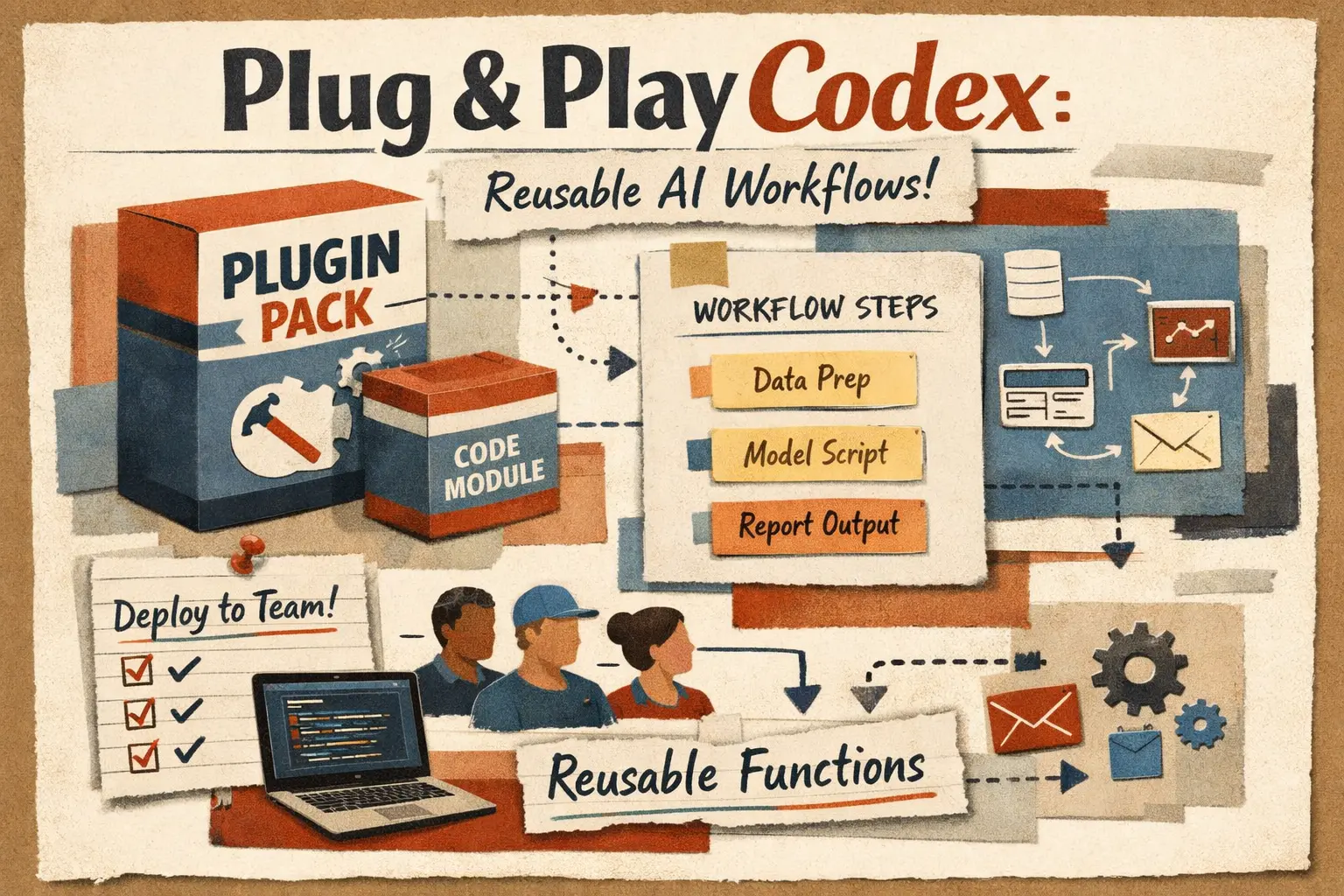
Codex Plugins, Explained
In this article, we break down OpenAI's new plugin library for Codex: what actually shipped, how plugins differ from skills, apps, and MCP, how to use and build them, where they are genuinely useful, and how they affect speed, limits, and team workflows.
OpenAI's new Codex plugin library is not just a marketplace skin. In the official docs, skills are described as the reusable workflow authoring layer, while plugins are the installable distribution unit that can package skills, apps, and MCP servers. In practice, that makes Codex more reusable, more team-friendly, and easier to standardize across projects. [1][2][3]
What Codex plugins are, and why they matter
The main story here is not that OpenAI added one more catalog. The main story is that Codex now has a proper way to package and distribute reusable workflows.
authoring format for reusable workflows, while plugins are the installable distribution unit for reusable skills and apps in Codex. [1]What OpenAI actually launched
The easiest way to misunderstand this launch is to call it a plugin marketplace and stop there. That misses the point. In the official Codex docs, OpenAI frames skills as the layer where reusable workflows are authored. Plugins are the layer you use when you want those workflows and integrations to be installable and distributable. [1]
The plugin overview makes that even clearer. OpenAI says a plugin can contain three kinds of things: skills, apps, and MCP servers. In plain English, that means one plugin can bundle reusable instructions, connections to external tools, and additional tool surfaces or shared information through MCP. [2]
That changes the practical story for Codex. Before this, teams could absolutely build strong local setups, but reusing them across repos or people was always a little messy. Somebody had a good skill. Somebody else had a custom MCP config. Somebody else had app mappings. Now OpenAI is trying to put a proper package boundary around that stack.
The product pages also point in the same direction. On the main Codex page, OpenAI says Codex is designed for multi-agent workflows, and that with skills it goes beyond writing code into code understanding, prototyping, and documentation. [3] The plugin library is the logical next step, because those workflows only become useful at scale if they can be reused and installed cleanly.
Plugins, skills, apps, and MCP are not the same thing
This is the part most people will mix up on first read. If you do not separate these layers, the whole launch sounds fuzzier than it really is.
| Comparison point | Layer | What it is in practice |
|---|---|---|
| Skill | The authoring layer for a reusable workflow. OpenAI describes skills as reusable instructions for specific kinds of work. [1][2] | A skill is where you encode the work pattern itself: instructions, helper scripts, references, and task-specific process. |
| Plugin | The installable distribution layer. OpenAI says plugins are the installable unit for reusable skills and apps in Codex. [1] | A plugin is what you share, install, govern, and roll out across people or projects. |
| App | A connection to external tools such as GitHub or Slack. OpenAI's plugin docs explicitly list apps as one capability a plugin can package. [2] | This is the layer that gives Codex permission to read from or act inside outside systems. |
| MCP server | An additional server-side tool surface or shared context source. The plugin docs explicitly call out MCP servers as a plugin capability. [2] | This is how you extend Codex with more tools or shared data beyond the local project. |
How to use plugins in Codex without overcomplicating it
For most teams, the first useful workflow is not building a plugin from scratch. It is understanding what a curated plugin installs and where it belongs in your existing Codex setup.
Open the Plugin Directory in the Codex app
OpenAI's docs say to open Plugins in the Codex app to browse and install curated plugins. That is the cleanest starting point because it gives you discoverability before you start customizing anything. [2]
Test it on one narrow workflow first
Good first cases are boring and bounded: review a PR, collect migration risks, generate release notes, or standardize repo triage. This is where plugins show value fastest and fail most safely.
Only then standardize it across the team
Once a plugin proves useful, it becomes a clean way to encode team standards instead of relying on tribal knowledge and copy-pasted personal config.
Summary
The first win is not scale. The first win is repeatability.
How a Codex plugin is built
OpenAI's build docs are refreshingly concrete here. Every plugin starts with a required manifest at .codex-plugin/plugin.json. That is the fixed entry point. [4]
The same docs show what can sit next to it. A plugin can include a skills/ directory with SKILL.md files, an optional .app.json for app or connector mappings, an optional .mcp.json for MCP server configuration, and an assets/ folder for screenshots or branding. [4]
That folder structure is useful because it tells you what OpenAI thinks a plugin really is: not a single prompt, not a single model preset, but a bundle of workflow logic and capability wiring.
If you are building one yourself, the right order is practical. First define the narrow workflow you want to reuse. Then codify it as a skill. Then add app or MCP surfaces only if the workflow genuinely needs outside systems. Then package it with plugin.json so other people can install it.
A minimal shape looks like this:
my-plugin/
  .codex-plugin/
    plugin.json
  skills/
    repo-triage/
      SKILL.md
  .app.json
  .mcp.json
  assets/
This is one of the more important product signals in the whole launch. OpenAI is not only documenting how to use plugins. It is documenting how teams should package reusable Codex capability as a real internal asset. [4]
Where plugins help first, and where they are just decoration
Strong fit
Team standards, repeated review flows, repo onboarding, framework-specific maintenance, design-to-code pipelines, documentation jobs, and cross-repo routines. These are exactly the cases where reusable workflow packaging saves time every week.
Worth testing
Private internal tooling, security review recipes, migration helpers, and domain-specific repo checks. Good fit if the workflow is real and repeated, not imaginary future-proofing.
Often overkill
One-off tasks, tiny personal preferences, or setups that only one engineer actually uses. If the workflow is not reused, a plugin can become ceremony without payoff.
High-risk zone
Plugins that quietly depend on too many external systems, too much context, or unstable MCP servers. Those are the ones that look powerful in a demo and then become flaky in real work.
Rule of thumb
If the workflow is real, repeated, and shared, a plugin is probably worth the effort. If it is personal, vague, or unstable, it probably is not.
Do plugins change speed, token usage, or paid-plan behavior?
This needs a careful answer. OpenAI's current docs do not present a separate plugin fee, plugin token multiplier, or special plugin pricing table. So the accurate reading is not plugins cost X. The accurate reading is that plugins can change how much work Codex performs, and that changes what you feel on a paid plan. [2][5][6]
OpenAI's pricing page says local messages and cloud tasks share included usage limits, and that larger or more expensive tasks use those included limits faster. [5] That matters because plugins often make it easier to do more, not less: more tool calls, more repo reads, more external context, and sometimes more chained work across MCP or apps.
There is another important nuance. OpenAI also says users can run extra local tasks with an API key, billed at standard API rates. [5] So if a plugin drives a workflow that spills beyond included plan limits, the billing model depends on how you are running Codex, not on the plugin as a category.
The speed question works the same way. Plugins can make work feel faster because they remove setup friction and package good defaults. But they can also make flows slower if they add extra connectors, extra validation, or too much orchestration. There is no universal plugin makes Codex faster rule. There is only a workflow-quality question.
My practical reading is this: plugins mostly improve organizational speed. They reduce reinvention. They shorten onboarding. They make good Codex setups reusable. Their cost is the operational cost of the workflow they unlock, not the mere fact that a plugin exists.
The real advantages and the real downsides
This launch is useful, but it is not magic. The strengths are real. So are the failure modes.
Big upside: plugins give teams a clean way to share good Codex workflows instead of rebuilding them one machine at a time.
Big upside: this makes Codex easier to standardize across repos, people, and environments.
Main risk: teams will package weak workflows and make them easier to spread.
Main risk: plugin-driven setups can quietly become heavy, fragile, or connector-dependent if nobody treats them like real engineering assets.
Summary
A plugin library does not automatically raise quality. It raises the leverage of whatever process you package inside it.
FAQ
OpenAI launched a plugin layer for Codex plus a Plugin Directory in the Codex app. In the official docs, skills remain the reusable workflow authoring layer, while plugins become the installable distribution unit that can package skills, apps, and MCP servers. [1][2]
No. OpenAI draws a clear line: skills define reusable workflows, while plugins are the installable package used to distribute reusable skills and app integrations in Codex. [1]
Yes. OpenAI's plugin docs explicitly say a plugin can contain apps and MCP servers, not just skills. That is why the launch matters more than a simple template library. [2]
OpenAI's build docs say every plugin starts with a required manifest at `.codex-plugin/plugin.json`. From there, you can add `skills/`, optional `.app.json`, optional `.mcp.json`, and assets such as screenshots. [4]
OpenAI does not document a separate plugin fee. The cost changes indirectly because plugin-enabled workflows can trigger more model work, tool use, context, and external calls. Included plan limits are shared across local messages and cloud tasks, and larger tasks use them faster. [2][5]
Sometimes operationally, yes. They can reduce setup friction and make good workflows reusable. But they can also slow work down if they add too much orchestration or too many external dependencies. The right question is whether the workflow is better, not whether the word plugin sounds faster. [2][4][5]
Sources and further reading
This article is based primarily on OpenAI's Codex docs and product pages, with supporting context from the official skills repository and adjacent ecosystem material.
Related Articles

How to Add Mau Saver to a Telegram Group and Save Media in Chat
A practical guide to adding Mau Saver to a Telegram group and downloading videos, audio, and posts directly in the chat.

How to Advertise to an International Telegram Media Audience
A practical guide for advertisers: reach an international Telegram audience through Mau Saver Bot, group placements, pinned posts, and native media integrations.

AI Assistant Development Cost in 2026: RAG Chatbots, CRM Integrations, Guardrails, and Support
A practical buyer guide to AI assistant development cost in 2026: prototypes, RAG chatbots, knowledge-base assistants, CRM and website integrations, guardrails, evaluations, monitoring, and support.

AI Can Make More. Not Better: What Game Development Research Actually Says
Generative AI is entering game production, but the evidence is more nuanced than the hype. We examine developer adoption, player reception, quality risks, and a practical production model for using AI without outsourcing taste.