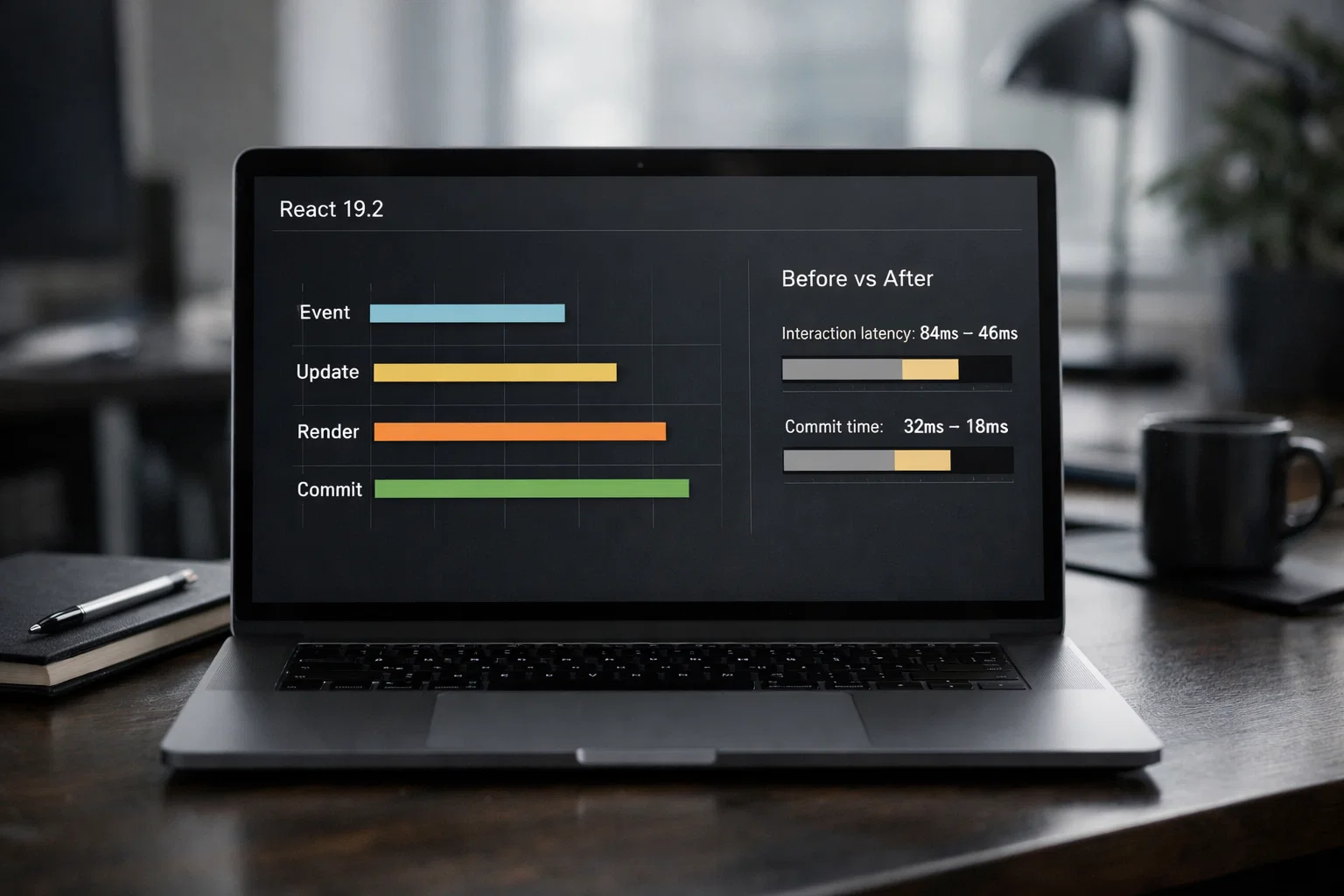
React in 2026: The New Primitives (Actions, Activity, useEffectEvent) and the Compiler Era
React 19 → 19.2 didn’t just add features—it changed how we structure apps. This guide explains the ideas behind Actions, <Activity/>, useEffectEvent, Performance Tracks, SSR Suspense batching, Partial Pre-rendering, and React Compiler 1.0—with practical architecture cues and real sources.
React 2026 Primitives & Compiler Upgrade Guide
This article is the overview chapter. The guide is split into focused follow-ups (useActionState, Activity, and useEffectEvent) so teams can adopt changes incrementally without regressions.
All articles in this guide
01
Overview: React 2026 primitives and compiler-era mental model
Big-picture architecture shifts, what changed, and where each primitive fits.
02
useActionState deep dive: mutation flows, optimistic UI, and integration patterns
When useActionState reduces boilerplate and when a data layer still owns the problem.
03
React <Activity />: keep state, pause Effects, and render in the background
Real patterns, performance trade-offs, and pitfalls for tabs/drawers/shell UIs.
04
useEffectEvent deep dive: effect design, subscriptions, and analytics
Linter-friendly effect boundaries without stale closures or reconnect churn.
What you’ll get from this article
This isn’t a changelog dump. It’s a mental model: what changed, why it exists, and how it affects architecture.
The real shift: React is productizing patterns that used to be folklore
React used to be a bit like LEGO with a missing instruction booklet: you could build anything, but every team invented their own “right way” to handle async mutations, keep UI state across screens, or avoid effect dependency bugs.
React 19 and 19.2 feel different. The core team is turning those common patterns into primitives: Actions for async UI state, <Activity/> for “hide but keep state,” useEffectEvent for separating event-like logic from effects, and official Performance Tracks to understand scheduling. [1][2][5]
And then there’s React Compiler 1.0: a big bet that manual memoization shouldn’t be a daily job. [3]
Actions: the idea is to make async UI flows boring (in a good way)
If your UI does mutations (save profile, checkout, comment, upload), you’ve probably built some version of this state machine a dozen times: idle → pending → success/error → optimistic UI → rollback → toasts → redirects.
React 19’s Actions direction aims to standardize that flow with primitives like useActionState, <form action={...}>, and useFormStatus, and make optimistic updates less awkward with useOptimistic. [1][8]
Here’s a small example that shows the shape of this approach:
import { useActionState } from "react";

type SaveState = { ok: true } | { ok: false; error: string };

async function saveDisplayName(
  _prev: SaveState,
  formData: FormData,
): Promise<SaveState> {
  const name = String(formData.get("name") ?? "").trim();
  if (name.length < 2) return { ok: false, error: "Name is too short." };

  const res = await fetch("/api/profile/name", {
    method: "POST",
    body: JSON.stringify({ name }),
    headers: { "content-type": "application/json" },
  });

  if (!res.ok) return { ok: false, error: "Failed to save." };
  return { ok: true };
}

export function DisplayNameForm({ initialName }: { initialName: string }) {
  const [state, action, isPending] = useActionState<SaveState, FormData>(
    saveDisplayName,
    { ok: true },
  );

  return (
    <form action={action} className="space-y-2">
      <input name="name" defaultValue={initialName} />
      <button type="submit" disabled={isPending}>
        {isPending ? "Saving…" : "Save"}
      </button>
      {state.ok ? null : <p role="alert">{state.error}</p>}
    </form>
  );
}
Architecture cue: Actions are great when your mutation flow is UI-owned and you want a standard pending/result handshake without inventing another abstraction layer. If you need caching, retries, offline queues, or cross-screen synchronization, you may still prefer a data layer (React Query, SWR, custom event bus). Actions reduce boilerplate at the edges—they don’t replace system-level data architecture. [1][8]
<Activity />: “hide” becomes a first-class concept
Tabbed UIs, side panels, wizards, and multi-step flows have a classic trade-off:
- unmount when hidden → less memory, but you lose state and tear down subscriptions
- keep mounted → preserve state, but you end up hand-rolling “hidden but alive” patterns
React 19.2 introduces <Activity mode="visible|hidden"> as an alternative to conditional rendering. In 19.2 it supports visible and hidden. [2]
A tiny example of a “keep alive” tab:
import { Activity } from "react";

export function SettingsTabs({ tab }: { tab: "profile" | "billing" }) {
  return (
    <div>
      <Activity mode={tab === "profile" ? "visible" : "hidden"}>
        <ProfileTab />
      </Activity>
      <Activity mode={tab === "billing" ? "visible" : "hidden"}>
        <BillingTab />
      </Activity>
    </div>
  );
}
Architecture cue: reach for <Activity/> when you want predictable state retention across visibility toggles (tabs, drawers, in-app navigation shells). <Activity/> makes intent explicit; it doesn’t automatically stop expensive timers/subscriptions inside hidden UI—you still need to design where that work lives. [2]
useEffectEvent: stop reconnecting because the theme changed
Effects have a known tension: you want correct dependency arrays, but sometimes you also want “this handler should see the latest values without forcing the effect to re-run.”
React 19.2’s useEffectEvent formalizes that pattern. The React 19.2 post shows a chat connection example: changing theme shouldn’t reconnect the chat, but the notification should still use the latest theme. useEffectEvent splits that “event-like” code out of the effect. [2][6]
A practical example (analytics/logging) that stays linter-friendly:
import { useEffect, useEffectEvent } from "react";

type Props = { userId: string; plan: "free" | "pro" };

declare function subscribeToBillingEvents(
  userId: string,
  onEvent: (name: string) => void,
): () => void;

declare function track(event: string, props: Record<string, string>): void;

export function BillingWatcher({ userId, plan }: Props) {
  const onBillingEvent = useEffectEvent((name: string) => {
    track("billing_event", { name, plan });
  });

  useEffect(() => {
    return subscribeToBillingEvents(userId, (name) => onBillingEvent(name));
  }, [userId]);

  return null;
}
Architecture cue: useEffectEvent is a big win when you currently suppress the hooks linter just to avoid re-running an effect. But don’t wrap everything—React explicitly warns against using it only to silence linter errors. Use it when the logic is conceptually an event, not part of the reactive “sync this system” effect. [2][6]
Performance Tracks: React scheduling becomes visible (and debuggable)
Most performance debugging used to be guesswork: “why did this update feel slow?” Performance Tracks make React’s work show up clearly in the timeline.
Performance Tracks don’t magically make apps faster. They make performance work more honest: you stop optimizing based on vibes and start optimizing based on evidence. [5]
less guessing
Instead of hand-waving about “React being slow,” you can see what React did and when—especially around interactions and scheduling. [5]
interaction jank
It’s ideal for debugging slow clicks, input lag, suspense reveals, and long commits—because the work is labeled in the timeline. [5]
Performance Tracks in action: React work becomes visible as dedicated tracks in the Performance timeline. [2][5]
Section performance-tracks screenshotPerformance Tracks overview: the timeline separates Scheduler, Components, and key phases (blocking, transitions, suspense). [5]
Section performance-tracks screenshotScheduler track: you can see event timing and phases like update, render, commit, and waiting for paint. [5]
Section performance-tracks screenshotScheduler update close-up: useful for pinpointing which phase dominates a slow interaction. [5]
Section performance-tracks screenshotReact 19.2 SSR: batched Suspense reveals reduce “progressive chaos”
React 19.2 changes how server-rendered Suspense boundaries reveal: boundaries that finish at the same time can be batched together. The goal is to make SSR streaming behavior align better with client rendering, and reduce awkward progressive reveal patterns. [2]
This is a good example of React’s 2026 direction: making “how things reveal” more predictable, and less dependent on timing accidents. [2]
cleaner reveals
Less “one component pops, then another, then another” when boundaries complete at the same time. [2]
fewer surprises
SSR streaming behavior becomes closer to client behavior, which simplifies mental models and debugging. [2]
design boundaries
Suspense boundaries are part of UX design. Use them intentionally: group what should appear together, separate what can appear later. [2]
React Compiler 1.0: memoization moves from code review to build time
React Compiler 1.0 is stable and production-ready. It’s a build-time tool that optimizes components and hooks through automatic memoization, and it ships with compiler-powered lint rules via eslint-plugin-react-hooks presets. [3]
The idea is not “React is slow unless compiled.” It’s: manual memoization is error-prone, inconsistent across teams, and often turns into cargo-cult useMemo/useCallback everywhere.
React’s guidance is pragmatic: rely on the compiler by default, keep useMemo/useCallback as escape hatches when you need precise control (often around effect dependencies). Also test carefully before removing existing memoization because it can change compilation output. [3]
A tiny example of what changes architecturally (you optimize less by hand):
type Props = { items: Array<{ id: string; price: number }>; taxRate: number };

declare function expensiveTotal(items: Props["items"], taxRate: number): number;

declare function CheckoutSummary(props: { total: number }): JSX.Element;

export function Cart({ items, taxRate }: Props) {
  const total = expensiveTotal(items, taxRate);
  return <CheckoutSummary total={total} />;
}
With a compiler, you can often keep code declarative and let tooling decide what’s safe to memoize—as long as you follow the Rules of React and test properly. [3]
Partial Pre-rendering: a new lever for “static shell + dynamic fill”
Partial Pre-rendering (React DOM, 19.2) is the idea of pre-rendering static parts of an app ahead of time (CDN-friendly), then resuming later to fill in dynamic content. The React 19.2 post shows the prerender() → store postponed state → resume() flow. [2]
Architecture cue: if you run a content-heavy site where the shell is mostly static but personalization/data is dynamic, PPR is a powerful concept. The trade-off is operational: it’s not “just React,” it’s a rendering pipeline and framework/bundler integration choice. [2]
React Server Components: stable, but treat the ecosystem as a system
React Server Components (RSC) are stable at the React level in React 19, but the docs explicitly warn that the underlying APIs used by bundlers/frameworks may break between React 19.x minors and don’t follow semver. For implementers, the recommended approach is pinning to a specific React version or using Canary. [4]
Also: pay attention to security advisories. The React Team published RSC vulnerabilities affecting react-server-dom-* packages and recommended upgrading to fixed versions. [7]
Architecture cue: if you use RSC, treat your React version, framework/bundler integration, and react-server-dom-* packages as a single upgrade unit—with real patch discipline.
FAQ
If you’re already on React 19, 19.2 is a practical upgrade for the new primitives and devtools improvements. If you use React Server Components, also track the React Team’s security advisories and ensure impacted packages are upgraded to fixed versions. [2][7]
No. Actions reduce UI-side boilerplate for mutations and form flows. Data libraries still shine for caching, retries, background refresh, offline behavior, and cross-screen consistency. In many apps, you’ll combine them intentionally. [1][8]
It helps you keep effect dependencies correct without reconnecting/re-running an effect just because an event handler needs the latest values. It’s especially useful when you currently suppress the hooks linter to avoid re-running effects. [2][6]
Conceptually yes, but the important part is making the intent explicit and giving React a proper primitive for “hidden but alive” UI. That clarity helps architecture and enables future scheduling/prioritization improvements. [2]
Not automatically. React’s guidance is: rely on the compiler by default, keep memo hooks as escape hatches when you need precise control (often around effect dependencies). Also test carefully before removing existing memoization. [3]
RSC is stable at the React level in React 19, but ecosystem integration (bundlers/frameworks) is a system-level concern. Follow pinning guidance where relevant and track security advisories for `react-server-dom-*` packages. [4][7]
Sources
We only include sources that directly support claims and examples used in this article.
Want help upgrading without regressions?
React’s newest primitives are powerful—but adopting them safely still requires good engineering hygiene: testing, linting, and a clear architecture plan. If you’re planning a React upgrade (or want to adopt Compiler/Actions/RSC without breaking production), PAS7 Studio can help with an audit-first approach and a migration plan tailored to your stack.
Overview: React 2026 primitives and compiler-era mental model
Related Articles

How to Add Mau Saver to a Telegram Group and Save Media in Chat
A practical guide to adding Mau Saver to a Telegram group and downloading videos, audio, and posts directly in the chat.

How to Advertise to an International Telegram Media Audience
A practical guide for advertisers: reach an international Telegram audience through Mau Saver Bot, group placements, pinned posts, and native media integrations.

AI Assistant Development Cost in 2026: RAG Chatbots, CRM Integrations, Guardrails, and Support
A practical buyer guide to AI assistant development cost in 2026: prototypes, RAG chatbots, knowledge-base assistants, CRM and website integrations, guardrails, evaluations, monitoring, and support.

AI Can Make More. Not Better: What Game Development Research Actually Says
Generative AI is entering game production, but the evidence is more nuanced than the hype. We examine developer adoption, player reception, quality risks, and a practical production model for using AI without outsourcing taste.