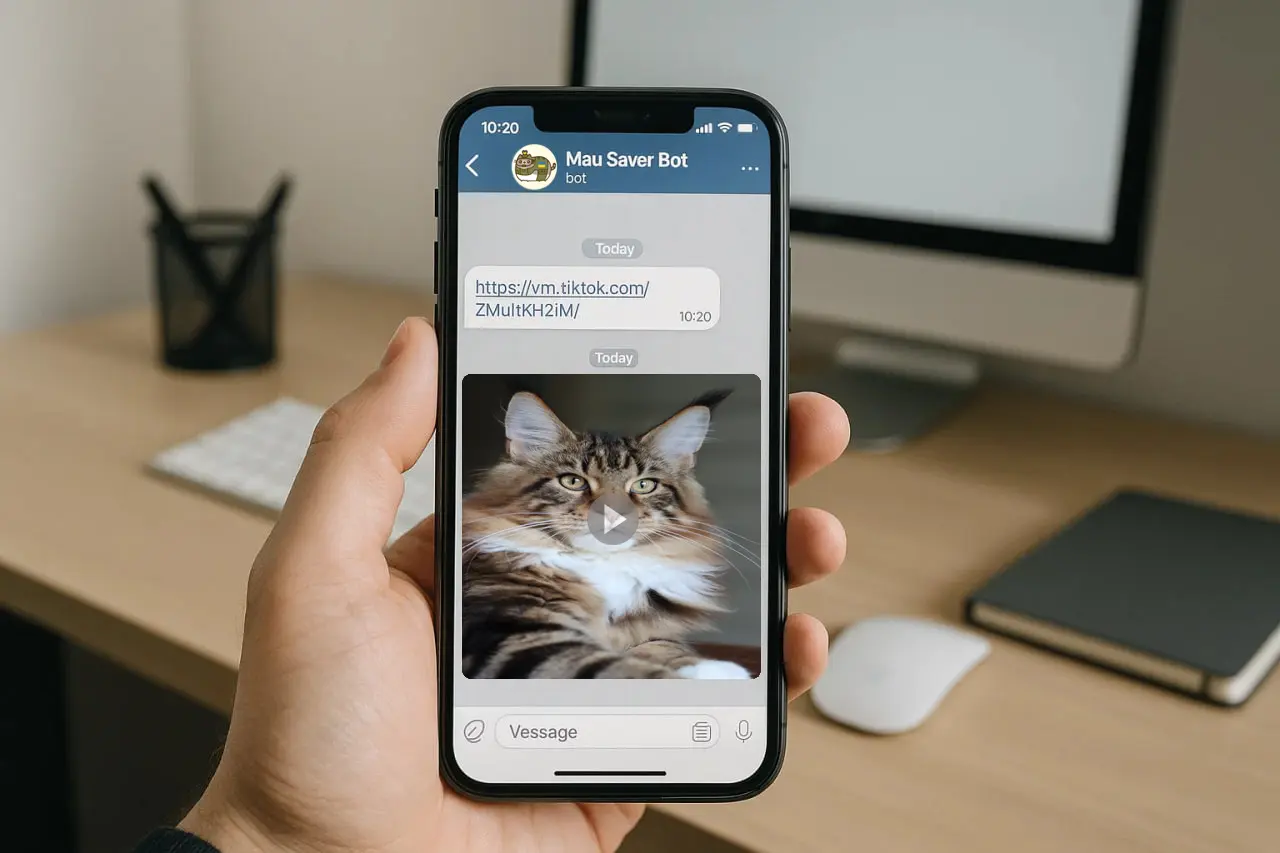
How to Download TikTok on Telegram in 2025 (Fast & Free)
A practical 2025 guide on how to download TikTok videos through Telegram using Mau Saver Bot — fast, free, no watermarks, and safe.
Why downloading TikTok via Telegram matters in 2025
If you regularly save TikTok videos for personal use, reposting, research, or content creation, you already know the struggle: unstable websites, aggressive ads, watermark issues, and videos that simply fail to download.
TikTok keeps changing its security rules and protection mechanisms, which breaks many random download sites every few weeks. Creators need a stable, repeatable, no-watermark workflow, while teams need quick access to media for research, analytics, and cross-platform posting.
Combining Telegram with a reliable automation bot solves this. Mau Saver Bot gives you a fast, no-watermark TikTok downloader that works on iOS, Android, desktop, and web, inside an app you already use every day.
How to download TikTok on Telegram using Mau Saver Bot
Mau Saver Bot automatically handles quality selection, extracts audio when needed, and gracefully skips broken or unavailable formats so you do not waste time on failed attempts.
The entire flow takes less than a minute and works on any device where you have Telegram installed.
Open Mau Saver Bot: find @mau_saver_bot in Telegram.
Copy the TikTok link: video URL, shortened link, or a link with caption all work.
Send the link to the bot: paste it in chat, no extra commands needed.
Wait a few seconds: the bot resolves the video, removes tracking parameters, and prepares media.
Choose the format: video without watermark, audio-only, cover, or slideshow photos.
Save the file: tap download and store it in your gallery, files app, or forward to a private channel.
Key features of Mau Saver Bot as a TikTok downloader
Mau Saver Bot is optimized for everyday use by creators and teams who download dozens of videos per day.
No watermark, even in 2025
The bot is engineered around TikTok’s changing protection mechanisms and keeps videos clean of watermarks where technically possible, making editing and reposting easier.
Fast and stable downloads
Concurrency-optimized workers, auto-healing containers, and caching layers keep average download times low, even when multiple users are downloading at the same time.
Slideshows and photo packs
Slideshows are sent as grouped Telegram albums, with photos in order and the audio track delivered separately when available, so you can reuse both visuals and sound.
Works across all Telegram clients
iOS, Android, desktop, and web Telegram clients are supported out of the box. There is no registration form and no separate login flow to manage.
How creators and teams use Mau Saver Bot in their workflows
Individual creators save references, trends, and favourite formats into private channels, then reuse them for Reels, Shorts, or long-form content.
Marketing and content teams collect TikTok ads, UGC examples, and competitors’ creatives into internal channels to analyze what works before launching their own campaigns.
Because downloads are watermark-free where possible, the same assets can be repurposed across multiple platforms while respecting each platform’s own overlays, sounds, and edits.
Typical usage stats for active users
Exact numbers vary per account, but there are clear patterns in how frequently Mau Saver Bot is used and how much time it saves in real workflows.
The biggest gain is not just speed but reduced friction: you stay inside one app, with one bot, and one simple habit for saving any useful video you see.
30–150
Typical range for creators and social media managers who use the bot as part of their daily content routine.
40%+
Estimated time saved on content batching compared to jumping between random download sites and dealing with pop-ups and captchas.
Near 0
Fallback routing and robust error handling minimize broken attempts so you can focus on content, not troubleshooting.
25–60% faster
Teams collect references, ad examples, and UGC significantly faster when everything flows into Telegram instead of dozens of browser tabs.
When Mau Saver Bot is enough and when you need custom automation
Most users are perfectly served by a ready-made bot. Some teams, however, reach a point where a private automation stack becomes more efficient.
Use Mau Saver Bot as-is
If you download up to a few hundred videos per week and manage posting manually, Mau Saver Bot is enough. It is fast, free to start with, and works across all devices where you already have Telegram.
Upgrade to a custom stack
If you operate multiple brands or regions, manage strict publishing calendars, or need dashboards and analytics, it becomes more efficient to invest in a custom pipeline tightly integrated with your tools.
Hybrid workflows
Many teams use Mau Saver Bot for research and reference collection while running a separate automation stack for scheduled publishing and reporting.
FAQ
Open @mau_saver_bot in Telegram, send any TikTok link, wait a few seconds, and then download the video or audio the bot returns.
Yes. Mau Saver Bot is specifically optimized to deliver clean, no-watermark TikTok videos where technically possible.
Yes. Slideshows are downloaded as grouped Telegram albums with photos and optionally audio.
You do not log in with TikTok; downloads go through Telegram and the bot infrastructure without exposing your account.
Yes. Any device that runs Telegram can use Mau Saver Bot, including mobile, desktop, and web clients.
Yes. Mau Saver Bot can be part of a broader automation stack that PAS7 Studio can design specifically for your workflow.
The core downloader flow is free. Custom automation and advanced business scenarios are available as paid products.
Ready to streamline your TikTok workflow?
If you just want a fast, no-watermark TikTok downloader, Mau Saver Bot is the simplest place to start. You stay inside Telegram, and your downloads remain one tap away on every device. If your team needs full automation around TikTok, Reels, and Shorts, PAS7 Studio can design and build a custom system around your exact channels, calendars, and analytics stack.
Related Articles

How to Add Mau Saver to a Telegram Group and Save Media in Chat
A practical guide to adding Mau Saver to a Telegram group and downloading videos, audio, and posts directly in the chat.

How to Advertise to an International Telegram Media Audience
A practical guide for advertisers: reach an international Telegram audience through Mau Saver Bot, group placements, pinned posts, and native media integrations.

AI Assistant Development Cost in 2026: RAG Chatbots, CRM Integrations, Guardrails, and Support
A practical buyer guide to AI assistant development cost in 2026: prototypes, RAG chatbots, knowledge-base assistants, CRM and website integrations, guardrails, evaluations, monitoring, and support.

AI Can Make More. Not Better: What Game Development Research Actually Says
Generative AI is entering game production, but the evidence is more nuanced than the hype. We examine developer adoption, player reception, quality risks, and a practical production model for using AI without outsourcing taste.