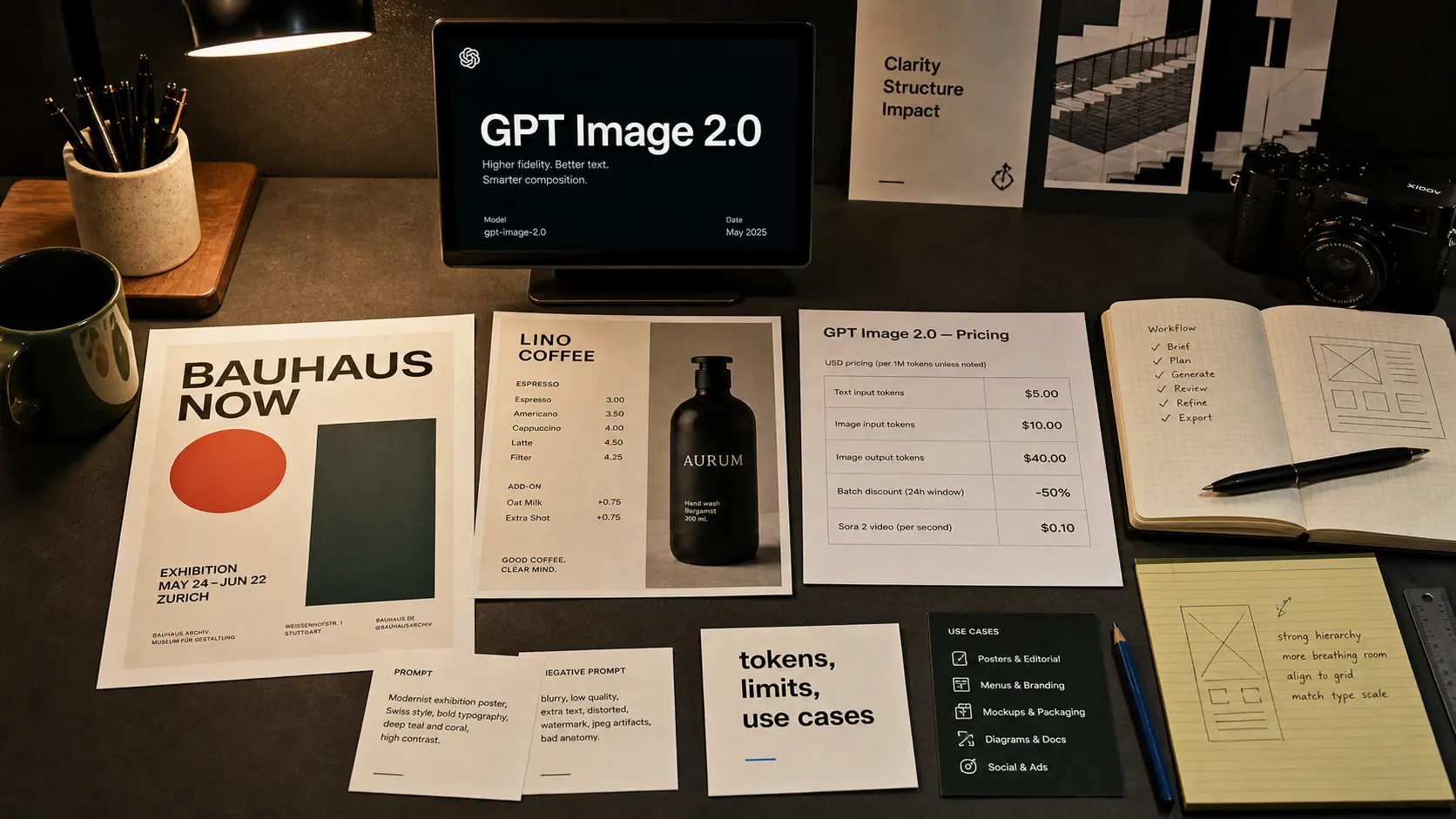
GPT Image 2.0 after the first weeks: what improved, what it costs, and whether it replaces Sora 1
A detailed review of ChatGPT Images 2.0 and the gpt-image-2 API model after the first weeks of use: new capabilities, thinking mode, pricing, tokens, rate limits, differences from Sora 1, practical use cases for marketing, design, e-commerce, education, and development, plus useful prompts for real work.
GPT Image 2.0 is the new generation of image creation in ChatGPT and the `gpt-image-2` API model, released by OpenAI on April 21, 2026. The biggest gains are visible in text inside images, complex compositions, localized layouts, thinking mode, and practical design tasks, but the model still has limits around latency, precise layout control, brand consistency, and transparent ChatGPT quotas. [1][2][3][4][5]
Start with the uncomfortable point
GPT Image 2.0 is easy to overrate on day one and easy to underrate after a week. It does not make designers unnecessary. It makes part of the intermediate manual work unnecessary: rough posters, localized banners, product mockups, storyboards, educational infographics, and visual explanations for complex topics. That is why this release matters less as another image generator and more as a workflow change.
GPT Image 2.0 is best understood as a production loop: brief, thinking, layout plan, generation, human review, and only then production asset.
Section bite-to-read screenshotWhat actually changed in GPT Image 2.0
OpenAI's official framing is ambitious: ChatGPT Images 2.0 is presented as a new era of image generation. Strip away the launch language, and the change is simpler. The model is better at understanding the task before it starts rendering. In the system card, OpenAI points to stronger world knowledge, instruction following, and dense text generation. It also explains that thinking mode adds reasoning and tool use to the image generation process. [1][3]
That matters because many older image models did not fail only at pixels. They failed at the task model. A poster looked stylish, but the headline was distorted. A menu had a mood, but the dishes drifted. An infographic looked impressive, but the arrows did not make logical sense. GPT Image 2.0 improves precisely in the step where the model first plans the image and only then draws.
OpenAI also shows examples where the model handles more than a single attractive scene: pages, multi-panel layouts, localized text, comic pages, educational posters, product boards, and different aspect ratios. [1] That does not mean every output is print-ready. It means the first draft often looks like a working layout rather than a random AI image.
Shortest version
GPT Image 2.0 is not only stronger at image quality. It is stronger at reasoning about what the image is supposed to do for the user.
Why the Sora 1 comparison is useful, but dangerous
Many users compare GPT Image 2.0 with Sora 1 because Sora 1 was a convenient surface for fast image generation for a long time. But technically and product-wise, these are now different stories.
| Comparison point | Sora 1 image generation | ChatGPT Images 2.0 / gpt-image-2 |
|---|---|---|
| Product status | Sora 1 has been unavailable in the United States since March 13, 2026. OpenAI explains the sunset as a move toward a single Sora 2 experience. [7] | Images 2.0 is available in ChatGPT on all plans, while the gpt-image-2 API model is available to developers through image generation and image edit endpoints. [2][4] |
| Main use case | A fast prompt lab for legacy image and video generation inside the Sora web surface. After the sunset, image generation in Sora is no longer the main path. [7] | Static images, edits, design drafts, infographics, localized text, and multi-turn editing through the Responses API. [4] |
| Control and structure | Its strength was fast iteration and gallery-style review, not modern reasoning-based layout planning. | Thinking mode can plan and refine output before generation, while the Responses API is better suited for conversational editing. [2][4] |
| Cost and limits | In ChatGPT and Sora consumer surfaces, limits often feel like product quotas and may not be fully transparent to the user. | In the API, token prices and tier-based rate limits are explicit: TPM and IPM for gpt-image-2. [4][5] |
| What is better for video | Sora 1 is no longer the current direction. For video, OpenAI points users toward Sora 2. [7] | GPT Image 2.0 does not generate video. For video generation, use Sora 2, where API pricing is per second of video. [6] |
Sora 1 and GPT Image 2.0 should not be compared as two versions of the same product, but as two workflows: a legacy prompt lab versus a reasoning-driven static image pipeline.
Section sora-1-comparison screenshotWhat it costs in the API and which limits matter
The key is not to confuse the ChatGPT experience with the API. In ChatGPT, users see plan access, cooldowns, and thinking mode availability. In the API, you calculate tokens, output quality, input images, and usage tier.
| Comparison point | Parameter | gpt-image-2 value |
|---|---|---|
| Text input | Prompt text | $5.00 per 1M tokens, cached text input $1.25 per 1M tokens. [5] |
| Image input | Reference images / edit inputs | $8.00 per 1M tokens, cached image input $2.00 per 1M tokens. [5] |
| Image output | Generated image | $30.00 per 1M output image tokens. [5] |
| Batch | Cheaper asynchronous processing | Batch pricing for gpt-image-2 is roughly half: image output $15.00 per 1M tokens. [5] |
| Rate limits | TPM and IPM | Tier 1: 100k TPM / 5 IPM; Tier 5: 8M TPM / 250 IPM. [4] |
In the API, GPT Image 2.0 cost is built from input text tokens, image input tokens, output image tokens, quality, size, and retries.
Section pricing-and-limits screenshotPractical takeaway
For individual creative assets, the price can look manageable. For a mass banner or product-card generator, you need to model the economics before launch, especially with reference images, high quality, and many retries.
Where GPT Image 2.0 already looks genuinely useful
After the first weeks, the strongest pattern is clear: the model works best where the image has structure, text, and a practical job. When the task is only a unique aesthetic, the advantage is less clear.
Marketing and paid social
E-commerce and product content
Mockups, comparison boards, feature explainers, lifestyle scenes, and packaging drafts. It works best as the first layer of a production pipeline, after which a person checks brand consistency, legal claims, and product accuracy.
Education and knowledge work
Infographics, visual summaries, teaching posters, and diagram-first explanations of complex topics. OpenAI itself shows examples such as mathematical proofs and academic poster-style layouts. [1]
Development and product documentation
UI concept boards, onboarding illustrations, release visuals, API diagrams, and docs hero images. Here the value is not pure artistry, but speed from idea to understandable asset.
Brand systems
Useful for exploration, risky as an autonomous brand asset generator. OpenAI docs directly warn that GPT Image models can sometimes struggle to maintain recurring characters or brand elements across generations. [4]
Fashion, posters, and sports design
The output can look impressive, but sameness appears quickly. Creative Bloq noted a wave of similar sports posters in X discussions and called out the risk of homogeny, while X trend summaries showed how quickly the release spread through sports posters, design reactions, and meme formats such as MS Paint profile doodles. [10][11][12]
What still breaks or needs human control
The worst mistake after a strong release is to treat the model like an infallible designer. OpenAI's own docs are direct about several limitations.
Latency can be noticeable: complex prompts in GPT Image models may take up to 2 minutes to process. [4]
Text rendering is much better, but precise text placement and clarity can still fail. [4]
Consistency for recurring characters, product identity, and brand elements across generations is not guaranteed. [4]
Composition control is stronger, but the model can still place elements imprecisely in layout-sensitive work. [4]
Thinking mode improves planning, but it can also add waiting time. Axios explicitly notes that extra thinking can mean images take longer. [8]
The safety stack is more complex. The system card describes prompt-layer, image-layer, and output checks. That is good for protection, but it also means some edge-case creative requests will be blocked or transformed. [3]
Summary
In a production workflow, GPT Image 2.0 should be treated as a strong first- and second-draft generator, not the final approval authority.
A few prompts worth starting from
These are not universal magic formulas. They are working templates. Copy them, change the domain, add brand rules, and run several variants.
1. Marketing campaign board
Prompt: "Create a 4-panel campaign board for a new premium productivity app. Include: hero poster, Instagram story, landing page visual, and app store feature card. Text to include exactly: 'Focus without friction'. Style: editorial tech magazine, soft white background, cobalt blue, lime accent, precise typography, realistic device mockups, no stock-photo clichés."
2. E-commerce product explainer
Prompt: "Design a clean product explainer image for a reusable smart water bottle. Show three sections: temperature tracking, filter reminder, travel mode. Text in image must be English and readable. Style: premium product photography mixed with minimal infographic labels, graphite, mint, warm white, realistic shadows, 3:2 landscape."
3. Restaurant menu test
Prompt: "Create a one-page brunch menu for a small modern cafe named North Table. Include 6 menu items with prices, readable typography, and subtle ingredient illustrations. Style: risograph print, muted sage, tomato red, cream paper texture, balanced grid, no spelling mistakes."
4. Educational infographic
Prompt: "Create an educational infographic titled 'How cached input changes AI cost'. Explain input tokens, cached input, output tokens, and why retries matter. Use simple diagrams, arrows, and a tiny pricing example. Style: clean classroom poster, navy ink, pale yellow paper, orange highlights, very readable labels."
5. UI release visual
Prompt: "Create a product release visual for a SaaS dashboard feature called 'Smart Filters'. Show a realistic dashboard with filter chips, search results, and a small annotation layer. Text to include: 'Find the exact record in seconds'. Style: crisp B2B product marketing, white UI, deep green accents, subtle depth, no fake lorem ipsum."
6. Brand direction without sameness
Prompt: "Generate three distinct visual directions for a cybersecurity consultancy. Do not use generic dark hacker imagery. Direction A: editorial audit desk. Direction B: architectural blueprint. Direction C: legal evidence board. Use restrained colors, human-readable headings, no skulls, no hooded figures, no neon code rain."
Prompting rule
Write not only what to draw, but why the asset exists, what format it needs, which text must be exact, what is forbidden, and where a human will review the result.
How to use GPT Image 2.0 without chaos
If a team wants to use the model for real work rather than random experiments, it needs simple rules.
Separate exploration from production
Let the model generate options, but make the final asset pass human review for text, claims, brand, legal, and accessibility.
Count retries
Cost is not only one successful output. It includes failed attempts, reference images, and high-quality generations.
Build a prompt library
Separate prompts for ads, product cards, infographics, social, docs, and covers. That way the team does not reinvent the structure every time.
Define style boundaries
Write what is forbidden: stock-photo clichés, fake UI text, generic neon AI style, distorted typography, and overused sports-poster composition.
Do not promise perfect consistency
For serial characters, mascots, packaging, and brand systems, plan for human art direction and post-processing.
Conclusion: GPT Image 2.0 is not the end of design, but it is the end of lazy briefs
After the first weeks, GPT Image 2.0 looks like a genuinely strong release. Not because every image is perfect. Because the model is better at turning a task into structured visual output: text, composition, panels, localization, and working logic. That is what makes it useful for business, not only viral posts.
Its advantage over Sora 1 is real, but not because GPT Image 2.0 is simply a better Sora. Sora 1 was a legacy surface with image generation that OpenAI removed in the United States and replaced with Sora 2 as the main video experience. GPT Image 2.0 became the new home for static image generation in ChatGPT and the API. That is not one evolutionary branch, but a redistribution of roles.
For marketers and product teams, this means a faster path from idea to draft. For designers, it means more pressure on art direction, taste, systems thinking, and review. For developers, it means a new API economy with image tokens, rate limits, and batch optimization. The main takeaway for readers is simple: the model is already worth testing, but it is still too early to give it the final word without a human.
In short
GPT Image 2.0 works best as a visual co-pilot for structured tasks. The clearer the brief, format, exact text, and review criteria, the less it behaves like a random image generator and the more it behaves like a production tool.
FAQ
According to OpenAI release notes, ChatGPT Images 2.0 is available on all ChatGPT plans. Images with thinking are available on paid plans when the user selects Thinking or Pro models. ChatGPT limits can still depend on plan and current demand. [2]
Only partially. It became the current path for static images in ChatGPT and the API. Sora 1 was a legacy surface that OpenAI removed in the United States, while the current video direction is Sora 2. [6][7]
You need to count not only output image tokens, but also input text tokens, image input tokens for edits, quality, size, and retries. For `gpt-image-2`, standard image output pricing is $30 per 1M tokens, image input is $8 per 1M tokens, and text input is $5 per 1M tokens. [5]
OpenAI docs name latency, still-imperfect text rendering, recurring character or brand element consistency, and precise layout control in compositions as remaining limitations. [4]
Sources
Related Articles

How to Add Mau Saver to a Telegram Group and Save Media in Chat
A practical guide to adding Mau Saver to a Telegram group and downloading videos, audio, and posts directly in the chat.

How to Advertise to an International Telegram Media Audience
A practical guide for advertisers: reach an international Telegram audience through Mau Saver Bot, group placements, pinned posts, and native media integrations.

AI Assistant Development Cost in 2026: RAG Chatbots, CRM Integrations, Guardrails, and Support
A practical buyer guide to AI assistant development cost in 2026: prototypes, RAG chatbots, knowledge-base assistants, CRM and website integrations, guardrails, evaluations, monitoring, and support.

AI Can Make More. Not Better: What Game Development Research Actually Says
Generative AI is entering game production, but the evidence is more nuanced than the hype. We examine developer adoption, player reception, quality risks, and a practical production model for using AI without outsourcing taste.